Post-diagnosis explanation and assistive tech
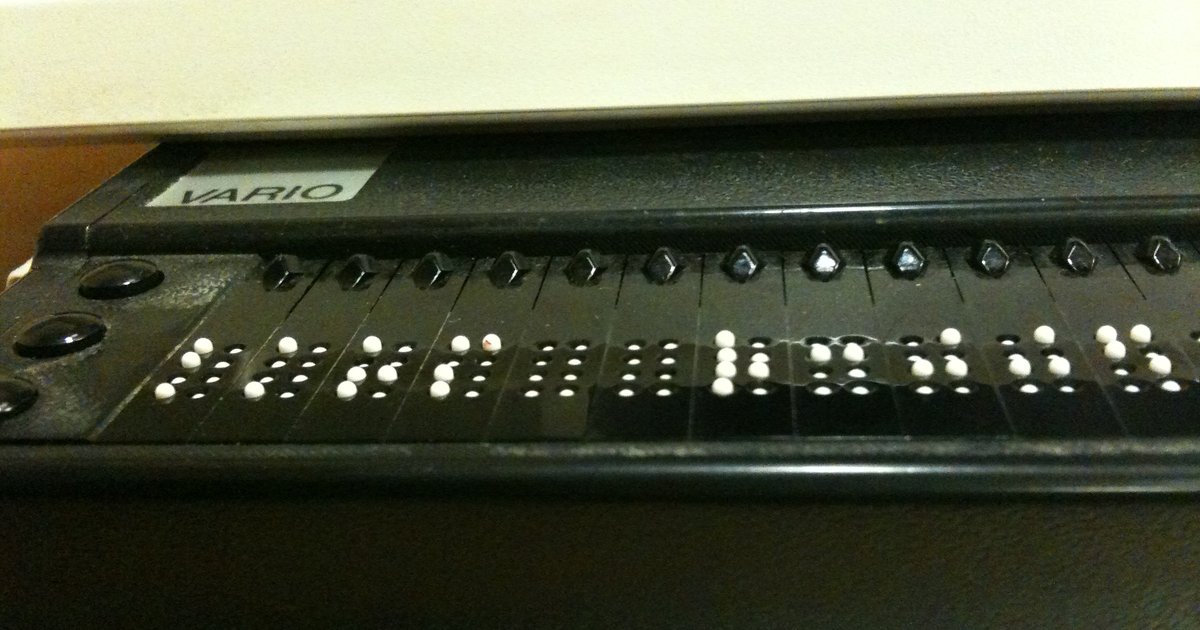
Table of contents
- After closing: what the explanation must deliver
- Hierarchy and reading order with a screen reader
- Real text and alternatives for media
- Named links, tables and figures in the explanation
- Color, multimodality and caution with dynamic ads
- Table: barrier in the explanation and design response
- How NEXO fits in
- Frequently asked questions
- Final checklist
- References
You close the case. The right diagnosis appears. Then you open the explanation: a long block, with no navigable headings, with important passages only in red and a clinical diagram pasted in as an image. Those who see the whole screen can still search through it. Those who use a screen reader hear "chart" and "image" without the text of the differential. Those who zoom to 200% lose the page map. Learning from the error stays trapped in the format. This text deals with the explanation after the diagnosis: the pedagogical feedback that must arrive intact with assistive technologies. It differs from the guide on what makes the explanation useful (content and timing of the return) and from the catalog of visual assistive technology (products and readers). Here the subject is the accessibility of the explanation: headings, real text, reading order, named links and independence from color after closing.
Nothing in this article claims effectiveness for NEXO. We describe design principles, public criteria and resources checked in the accessibility statement. The broad map of WCAG in health software is in digital accessibility in medical software. Fictional cases with a real clinical presentation, with up to six clues, call for an explanation as readable as the prompt.
Key points
- A useful explanation and an accessible explanation are not the same thing: the first answers "why this diagnosis"; the second ensures that a screen reader, zoom and keyboard can go through that answer.
- A heading hierarchy and a stable reading order are the map of the closing screen; visual bold without a heading does not count for assistive technology.
- Real text (HTML or a tagged document) prevails over a screenshot, an image-only PDF or a diagram with no text alternative.
- Links need a descriptive name; tables and figures call for headers and alternatives; information cannot live in color alone.
- ARIA live regions announce dynamic changes, but excessive or overly assertive use interrupts the reading of the explanation.
- In NEXO, the public statement describes VoiceOver with labels on clues and feedback, semantic HTML on the site and independence from color in proximity; with no claim of a learning outcome. Usage limits, when relevant, are in /economia.
After closing: what the explanation must deliver
Feedback in clinical education is information about performance relative to a standard, with the intention of improving the next cycle (van de Ridder et al., 2008). In diagnosis cases, this usually mixes three layers: whether the code or the hypothesis was right; which clues supported the target; and what to adjust in the reasoning next time. Educational meta-analyses show that the effect of feedback depends on the type and the mode of delivery, not only on the presence of an "answer key" (Wisniewski, Zierer and Hattie, 2019).
Studies with self-explanation in clinical cases show gains when the student elaborates their own reasoning; adding the correct diagnosis after the self-explanation helps in similar cases, but transfer to distant cases remains limited if the return is only the right label (Chamberland et al., 2011; Chamberland et al., 2019). Adaptive feedback in the amount of detail also appears associated with aspects of diagnostic competence in environments with worked examples (Heitzmann et al., 2015). In formative multiple-choice tests, there is debate about going beyond right/wrong and offering a return that guides the next step (Ryan et al., 2020). The post on useful explanation goes deeper into this pedagogical axis.
Accessibility comes in as a condition of possibility. If the explanation exists only as an image, or only as a single unstructured paragraph, assistive technology does not deliver the three layers. Nearly 6% of medical students in the United States declared a disability in 2021, more than double the 2015 figure, and they request accommodations that include digital access to materials (Huth et al., 2025; national prevalence and clinical accommodations: Meeks et al., 2020). Health educators are responsible for online content that this audience can read. Feedback dashboard tools in medical schools are already undergoing usability testing; the explicit next step is to ensure that the same dashboard survives a screen reader and a keyboard (Roa Romero et al., 2021).
In a daily diagnosis game, the closing is not decoration. It is the moment when the error becomes information. Formative assessment lives on this feedback that changes the next mental shift (formative assessment). If the results screen is inaccessible, the formative cycle breaks for part of the class, even with fictional cases with a real clinical presentation and up to six well-written clues.
Imagine a fictional case with a real clinical presentation: an adult with fever and cough for three days, up to six progressive clues. You get the ICD chapter wrong on the first try, then get it right. The explanation needs to say, in prose, which clues pushed toward lower respiratory tract infection, which supported community-acquired pneumonia and why tuberculosis dropped off the top. If this comes only as a colored map with no text, half the class loses the debrief. The same content, with headings and lists, reaches the screen reader user and the person who zooms in.
Barriers to disability disclosure among residents show that many still hesitate to ask for accommodation (Pereira-Lima et al., 2023). Designing the accessible explanation by default reduces dependence on an individual request for something as basic as reading why the diagnosis is what it is. Institutional accountability in medical education points in the same direction: environments that allow students with disabilities to apply and to stay (Meeks, Stergiopoulos and Petersen, 2022).

.jpg)
Hierarchy and reading order with a screen reader
People who use a screen reader rarely "look" at the page from top to bottom like a rectangle. They move through landmarks, the heading list, the link list and linear reading. If the explanation screen uses font size and color to simulate titles, without real h2/h3 elements, the heading list is empty or misleading. The student cannot jump from "Target diagnosis" to "Why the alternatives fall away" and then to "Next step". WCAG and the practice of accessible content in health education call for semantic hierarchy and a clear layout (Huth et al., 2025; W3C, Understanding 1.3.1).
Reading order in the DOM matters as much as the visual design. A "clue" card placed on the right of the screen but inserted in the HTML before the diagnosis will be announced too early. A footer with sharing links in the middle of the explanation flow interrupts the reasoning. Focus on the pedagogical sequence:
- Result status (correct, close, far), in text, not only as an icon.
- Target diagnosis or code, as a heading.
- Summary of why, in selectable prose.
- Clues that supported the target and clues that pushed toward the alternatives.
- Short differential and what to rule out.
- Next study step (without turning into a product list).
The keyboard completes the map: Tab must reach the controls on the results screen (reopen clues, report a problem, go to the detailed explanation) with visible focus. Those who do not use a mouse depend on this. The post on digital accessibility places keyboard and accessible names in clinical software; here the focus is the post-case narrative.
A quick test fits in five minutes: turn on the reader, open the result screen and ask for the list of headings. If only the app title appears, the explanation is visually organized and semantically empty. Then go through it with Tab: does focus disappear on any card? Is there a keyboard trap in the modal? Finally, raise the system zoom to 200% and check whether the paragraph about the differentiator still reflows without horizontal scroll. These three gestures catch most serious failures before any formal audit.
Clinical abbreviations ("HAS", "DM2", "PA") confuse speech synthesis. NEXO's public statement already acknowledges that some abbreviations may be pronounced strangely and that the team is working on pronunciation hints. Those who write explanations can help: expand on first mention ("systemic arterial hypertension (HAS)") and keep the acronym afterwards. A diagnostic pause in reasoning (diagnostic pause) also fits in prose: a heading "Where premature closure appears in this case" guides metacognition without requiring a global view of the page.
Cognitive load in health education already calls for reducing noise and preserving working memory for what teaches (van Merriënboer and Sweller, 2010; Mayer, 2010). A clear hierarchy reduces the hunt for the right paragraph. It connects with metacognition and with confidence calibration: you quickly locate where you got the weight of the clue wrong.


Real text and alternatives for media
Real text means characters in the document, selectable, searchable and exposed to the accessibility API. A screenshot of the "model explanation", a PDF generated only as an image and a slide exported without tags fail this test. The reader announces "image" or spells out bad OCR. Those who zoom in see pixels; those who use refreshable braille need text, not a drawing of letters.
Multimedia principles in medical education call for aligning words and images and avoiding overload (Mayer, 2010; classroom application: Issa et al., 2013). In the post-diagnosis explanation, the clinical image (radiograph, tracing, photo of a lesion) remains useful, as long as:
- There is a textual description of the finding that matters for the differential (not just "image 1").
- The diagnosis and the reasoning are in prose outside the figure.
- Captions and alternatives do not repeat the file name.
Dual encoding helps when image and text reinforce each other; the post about dual encoding covers the study. Here the warning is about access: if the essential text is only inside the figure, dual encoding becomes a single inaccessible code. Scanning an old book without a text layer illustrates the same problem at another scale: digitizing is not enough; machine-readable text is needed.
Avoid blocking text selection on the result screen. Avoid overlays that make content disappear on focus. Avoid "video explanation" without captions and without a transcript: those who cannot hear or who use braille are left out. The accessible content guide in health professions summarizes multiple means of representation aligned with this care (Huth et al., 2025).
When the explanation includes auscultation audio or a short video of a maneuver, the rule is the same as for text: clinical information cannot live only in the single sensory channel. Synchronized captions, a transcript and a description of the finding in prose close the loop. Those who study in a silent library or on a noisy shift also benefit, even without a declared hearing disability. Knowledge gaps versus reasoning gaps (knowledge or reasoning gap) become easier to separate when the explanation names what was missing: a fact, the weight of the clue or a strategy.


Named links, tables and figures in the explanation
Screen readers offer a list of links. Repeated "Click here", "learn more" and "link" force you to hear the surrounding context. In the explanation, prefer anchors that state the destination: "Diagnostic criteria from source X", "ICD map in chapter Y", "Report of a similar error on the blog". The same applies to buttons: the accessible name should describe the action ("Open detailed explanation"), not just "OK".
Differential tables (“guess”, “for”, “against”) are powerful after the case, if they have associated column and row headers. Without that, navigating cell by cell becomes a meaningless list. Figures need alt written after viewing the image, describing the relevant clinical finding. Decoration gets an empty alt. Credits and captions do not replace the alt.
Anyone who magnifies the interface (system zoom or magnifier) depends on reflow: text that does not get cut off, controls that do not leave the viewport, and no mandatory horizontal scroll. The NEXO accessibility statement on the site mentions semantic HTML, contrast and zoom; the catalog of visual assistive technology products goes deeper on screen readers and magnifiers. This post does not rank software: it deals with the content of the explanation that this software tries to read.
Internal links from the study ecosystem get the same care in naming. Tools such as Researcher and Closer help after the case; Curator and Creators look after the quality of the material. Educational design ethics already calls for not harming the learner through the format (ethics in educational game design).
In long materials, a table of contents at the top of the explanation, with named internal anchors, lowers the cost of returning to the right passage after an interruption on shift. This is not a design luxury: it is context recovery under fatigue. Screen reader users jump through the table of contents; people who magnify avoid dragging a finger across the whole page. The same principle applies to “report a problem” on the results screen: the control needs a clear name and a stable position in the DOM, not just an icon in the corner.


Color, multimodality and caution with dynamic ads
Color independence does not end with the proximity guess. In the explanation, “red passages = wrong” and “green passages = right” fail for color blindness and for anyone who hears the page without seeing the hue. Congenital color vision deficiency is frequent enough to justify text labels in medical material (PMID 10562750; safe practice: PMID 28731005). Science communication already documents misuse of color as the only channel (PMID 33116149). On the results screen, combine color with a word (“near”, “same chapter”, “far”) and, if there is an icon, with an accessible name.
This point connects with multimodal proximity feedback on the guess, but does not replace it: there the focus is the immediate return on each guess; here it is the long text after the case closes. Gamification can use points and accuracy without relying on unlabeled colored confetti (evidence on gamification). Differential diagnosis with clues also improves when the weight of each finding is written, not just painted (training with clues).
ARIA live regions exist to announce changes without reloading the page: a “explanation loaded” status, a network error warning, a counter. W3C documentation recommends aria-live="polite" in most cases and reserves assertive for real urgency, because it interrupts current speech (APG Alert; MDN Live regions). In teaching practice:
- Do not put the entire body of the explanation inside a live region: the screen reader may try to announce a thousand words at once or fail in inconsistent ways.
- Prefer moving focus to the “Explanation” heading when the panel opens, and leave reading under the user's control.
- Use a short live region for status (“Saved”, “Failed to load”) and stable text for the clinical content.
- Set up the empty region before injecting the status; avoid creating and filling it at the same instant.
Overuse of live regions is one of the recurring failures in medical content platforms evaluated with NVDA/JAWS: announcements compete with navigation. Caution protects study time. If the explanation updates passage by passage (streaming), offer pause and a stable final block.
Feedback framing changes satisfaction and perceived performance (van de Ridder et al., 2015). In accessibility, framing is also structural: an assertive alert on every “corrected” sentence in the explanation creates tension and gets in the way of reading. Prefer a single status on load and silence afterward. The student controls the pace; the platform does not narrate the whole book out loud without being asked.
Table: barrier in the explanation and design response
Use the table when reviewing the result screen of your app, LMS or own material. The contrasts are technical.
| Barrier in the explanation | Who feels it first | Design response | What to test now |
|---|---|---|---|
| Titles only with bold/color, no heading | Screen reader; mental TOC | Real h2/h3 in pedagogical order | List headings in VoiceOver/NVDA |
| Explanation only as image or scanned PDF | Reader, braille, search | HTML or tagged PDF with text | Select and copy a paragraph |
| "Click here" links / "OK" buttons | List of links | Descriptive name of the action or destination | Open rotor/link list |
| Right/wrong only by color | Color blindness; text mode | Color + word + named icon | View in grayscale |
| Differential table without headers | Cell navigation | Associated th; short summary above | Browse with reader |
| Explanation body in aria-live | Speech interruption | Live only for status; focus on heading | Open panel with reader on |
| Visual order ≠ DOM order | Linear reading and keyboard | DOM in pedagogical sequence | Tab and arrows from start to finish |
After the table, ask: if I turn off color and hear only headings and links, do I still understand why that diagnosis won? If the answer is no, the explanation has not yet reached assistive technology.
How NEXO fits in
NEXO is a daily diagnosis game with fictional cases with real clinical presentation and up to six progressive clues. The /accessibility page states, among other points, support for VoiceOver with descriptive labels for interactive elements, clinical clues and game feedback; Dynamic Type; semantic HTML with heading hierarchy on the site; contrast; alt on meaningful images; no autoplay media; and independence from color in the ICD-10 proximity levels (color with text label). The same page records known limitations (clinical abbreviations and extra gestures in the ranking with VoiceOver) without turning that into marketing. No sentence here claims that these features improve retention, grades or clinical performance. It is a verifiable description.
Those getting to know the platform can read what NEXO is. Case-based learning situates the method (how it works). Usage limits, when relevant, are at /economy. The angle of this post is the readability of the explanation after closing. On the same topic, see cognitive accessibility, multimodal feedback on the guess, reduce motion and photosensitivity and case flow with screen reader.
Frequently asked questions
Are a useful explanation and an accessible explanation the same thing?
No. Useful answers to the content and timing of the return (right/wrong, why, next step). Accessible ensures that assistive technologies can go through that content. The two complement each other; the useful explanation post covers the first axis.
Do I need to put the whole explanation in an ARIA live region?
In general, no. Short live regions for status; focus on the explanation heading; reading under the control of the reader user. Assertive live only for real urgency.
Can a PDF serve as a post-case explanation?
Yes, if it is tagged, with headings, selectable text, correct reading order and alternatives for figures. An image-only PDF fails the same test as the screenshot.
Does this replace the visual assistive technology guide?
No. The catalog of readers, magnifiers and clinical practices is in visual assistive technology. Here the object is the design of the pedagogical explanation.
And the proximity feedback during the guess?
It is another moment in the cycle: a short return on each attempt. Independence from color applies to both, but the long explanation after closing calls for headings, prose and care with dynamic announcements.
How does this connect to formative assessment?
Formative lives on feedback that informs the next cycle without becoming just a grade. If the feedback is not readable with AT, the formative excludes. See formative assessment.
Final checklist
- Real headings in order: result, diagnosis, why, clues, differential, next step.
- Selectable text; no essential explanation only in an image.
- Links and buttons with a name that describes destination or action.
- Tables with headers; figures with alt written after seeing the photo.
- Right/wrong and proximity with color and text (and named icon, if any).
- ARIA live only for short status; do not swallow the explanation body.
- DOM order equal to pedagogical order; visible focus on keyboard.
- Quick test with reader (VoiceOver/NVDA) and with high zoom.
- Cross-reading with digital accessibility, visual AT and useful explanation.
- Check the statement at /accessibility without extrapolating to effectiveness.
Play the case of the day in NEXO. After closing, go through the explanation as someone who only hears headings and links: the reasoning has to remain.
References
- van de Ridder JMM, Stokking KM, McGaghie WC, ten Cate OTJ. What is feedback in clinical education? Med Educ. 2008;42(2):189-197. PMID 18230092.
- Wisniewski B, Zierer K, Hattie J. The Power of Feedback Revisited: A Meta-Analysis of Educational Feedback Research. Front Psychol. 2019;10:3087. PMID 32038429.
- Chamberland M, St-Onge C, Setrakian J, et al. The influence of medical students' self-explanations on diagnostic performance. Med Educ. 2011;45(7):688-695. PMID 21649701.
- Chamberland M, Setrakian J, St-Onge C, et al. Does providing the correct diagnosis as feedback after self-explanation improve medical students' diagnostic performance? BMC Med Educ. 2019;19(1):210. PMID 31185971.
- Heitzmann N, Fischer F, Kammerer Y, et al. Enhancing diagnostic competence with self-explanation prompts and adaptable feedback. Med Educ. 2015;49(10):993-1003. PMID 26383071.
- Ryan A, Judd T, Swanson D, et al. Beyond right or wrong: More effective feedback for formative multiple-choice tests. Perspect Med Educ. 2020;9(5):307-313. PMID 32789664.
- van Merriënboer JJG, Sweller J. Cognitive load theory in health professional education: design principles and strategies. Med Educ. 2010;44(1):85-93. PMID 20078759.
- Mayer RE. Applying the science of learning to medical education. Med Educ. 2010;44(6):543-549. PMID 20604850.
- Issa N, Schuller M, Santacaterina S, et al. Teaching for understanding in medical classrooms using multimedia design principles. Med Educ. 2013;47(4):388-396. PMID 23488758.
- Huth K, Newman L, Meeks LM, Wolbrink T. Creating Accessible Online Content for Health Professions Education. Acad Med. 2025;100(7):874. PMID 39773717.
- Meeks LM, Case B, Herzer K, Plegue M, Swenor BK. National Prevalence of Disability and Clinical Accommodations in Medical Education. J Med Educ Curric Dev. 2020;7:2382120520965247. PMID 33178890.
- Pereira-Lima K, et al. Barriers to Disclosure of Disability and Request for Accommodations Among First-Year Resident Physicians. JAMA Netw Open. 2023. PMID 37166801.
- Meeks LM, Stergiopoulos E, Petersen KH. Institutional Accountability for Students With Disabilities. Acad Med. 2022. PMID 34670236.
- Roa Romero Y, et al. Design and usability testing of an in-house developed performance feedback tool for medical students. BMC Med Educ. 2021;21(1):354. PMID 34162382.
- van de Ridder JMM, et al. Framing of feedback impacts student's satisfaction, self-efficacy and performance. Adv Health Sci Educ. 2015. PMID 25542198.
- Spalding JA. Colour vision deficiency in the medical profession. Br J Gen Pract. 1999. PMID 10562750.
- Campbell JL, et al. Preparing medical students with congenital colour vision deficiency for safe practice. Natl Med J India. 2017. PMID 28731005.
- Crameri F, Shephard GE, Heron PJ. The misuse of colour in science communication. Nat Commun. 2020;11:5444. PMID 33116149.
- W3C. WCAG 2.2 Understanding Info and Relationships (1.3.1) and ARIA APG Alert. WCAG 1.3.1; APG Alert.
- NEXO. Accessibility Statement. NEXO accessibility statement.