Assistive tech for visually impaired doctors
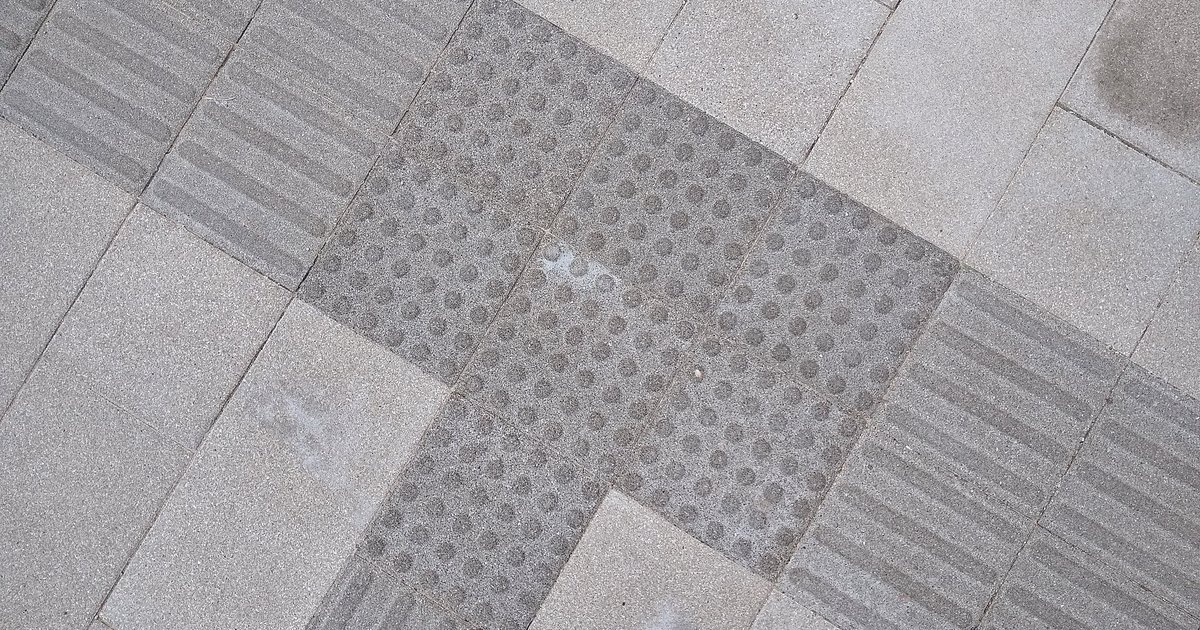
For the physician or medical student with visual impairment, much of the work goes through a screen reader, a magnifier or a braille line, and through the institution's willingness to make adaptations. The Brazilian Inclusion Law defines assistive technology as products, equipment, devices, resources, methodologies, strategies, practices and services that promote the functionality of the person with a disability or reduced mobility, aiming at their autonomy, independence, quality of life and social inclusion (Law 13.146/2015).
NEXO is a daily medical diagnosis game: one clinical case a day, six progressive clues, and ICD-10 proximity feedback across five levels.
This guide summarizes what the research says about physicians and students with disabilities, what Brazilian law guarantees, the main types of assistive technology for visual impairment and what each well-known screen reader and magnifier offers, according to the official page.
Main points
- Physicians with disabilities think more about leaving the profession than their peers, and workplace adaptations are associated with a lower intention to leave.
- Students with physical or sensory disabilities performed similarly to their peers in a multicenter study.
- The Brazilian Inclusion Law guarantees access to assistive technology, an accessible work environment and accessibility resources in higher education selection processes.
- Screen reader, screen magnifier, braille line and phone features cover different needs and are usually combined.
- The biggest obstacle reported by workers with visual impairment is inaccessible software, websites and documents.
Summary
- Physicians and students with disabilities: what the research shows
- What Brazilian law guarantees
- Types of assistive technology for visual impairment
- Screen readers and magnifiers: what each one offers
- In clinical and academic practice
- Accessibility in NEXO
- Frequently asked questions
- Checklist for physicians and institutions
Physicians and students with disabilities: what the research shows
Research done only with physicians with visual impairment is still small. The studies below deal with physicians and students with disabilities in general, or with physical and sensory disabilities together, and help to understand the context.
Adaptations and staying in the profession
In a national survey with 5,917 practicing physicians in the United States, 154 (2.6%) reported having a disability (Sheets et al., 2026). Among them, 36.4% had thought about leaving medicine in the last year, compared with 23.5% of peers without disabilities (Sheets et al., 2026). Among physicians with disabilities, the intention to leave was 34.3% among those who received workplace adaptations and 54.2% among those who did not (Sheets et al., 2026).
Performance in medical school
A study at 11 American medical schools compared 171 students with disabilities to matched peers (Meeks et al., 2022). Students with physical or sensory disabilities had graduation time, Step 1 score and first-attempt residency match rates similar to those of their peers, with 93.9% versus 94.6% match (Meeks et al., 2022).
The role of the institution
A medical education committee from the United States and Canada recommends that reasonable adaptations be defined jointly, with the student, a disability support professional and the teachers when needed (Sonn et al., 2024). At The Ottawa Hospital, in Canada, the department of medicine approved in 2022 an accessibility and adaptation policy for physicians, which covers recruitment, interview and hiring, provides a roadmap for adaptations and addresses their funding (Munro et al., 2025).


What Brazilian law guarantees
The Brazilian Inclusion Law (Law 13.146/2015) has articles that directly touch the training and work of physicians with disabilities (Law 13.146/2015):
| Article | What it says, in summary |
|---|---|
| Art. 3, III | Defines assistive technology or technical aid (Law 13.146/2015) |
| Art. 30 | In higher education selection processes, it provides for accessibility and assistive technology resources chosen by the candidate, exams in accessible formats and additional time upon request (Law 13.146/2015) |
| Art. 34 | It guarantees work in an accessible and inclusive environment and prohibits discrimination, including the requirement of full aptitude (Law 13.146/2015) |
| Art. 37 | It provides, in inclusion at work, rules for accessibility, provision of assistive technology and reasonable accommodation (Law 13.146/2015) |
| Art. 74 | It guarantees access to assistive technology products, resources and services (Law 13.146/2015) |
Source of the table: text of Law 13.146/2015 on Planalto, accessed on 10/11/2026. For a specific case, seek legal advice or your institution's accessibility office.
Types of assistive technology for visual impairment
The main categories
| Type | How it works | Who it usually serves |
|---|---|---|
| Screen reader | Reads aloud, or sends to a braille line, the text and controls on the screen | People who are blind and some people with low vision |
| Screen magnifier | Magnifies part of the screen or the whole screen, with color and contrast filters | People with low vision |
| Braille line | Shows in braille, through raised pins, the text sent by the screen reader | People who are blind and read braille |
| Phone features | Screen reader, magnification and camera apps that read texts and describe the environment | People who are blind and with low vision |
Source of the table: organization by the Editorial team from the official pages cited in the products section and from Senjam et al., 2021.
What studies show
In a survey with 314 people who are blind or have low vision employed in the United States, satisfaction with assistive technology at work was generally high, but the most cited difficulty, by 59.1% of participants, was accessing certain software, websites or digital documents (McDonnall et al., 2024). The authors point out as difficult points slide presentation programs, PDFs, spreadsheets and virtual meeting programs (McDonnall et al., 2024).
In a study with 274 legally blind workers who used a screen reader at work, most used more than one screen reader, and those who used several reported less often difficulty working with the same efficiency as colleagues (McDonnall et al., 2025). The authors recommend learning at least two screen readers, to have a backup when the main one fails (McDonnall et al., 2025).
In a study with 20 people with low vision, lens magnification, which enlarges an area around the cursor, and full-screen magnification had similar reading performance and preference (Tang et al., 2023).
A review on the phone as assistive technology highlights the accessibility features already built into the device and third-party apps, and notes that most users learn on their own (Senjam et al., 2021). In a study with experts, the phone with computer vision apps expanded five capabilities at work: reading texts on the spot, understanding visual characteristics of people and objects, orienting oneself in the environment, labeling objects and locating things (Heath and Babu, 2022).
Screen readers and magnifiers: what each one offers
The products below were chosen because they are well known and have an official page with clear information. They are in alphabetical order, not by quality. All descriptions come from each one's official page, accessed on October 11, 2026; features and access conditions change over time, so check directly at the source.
JAWS
According to the official page, JAWS (Job Access With Speech) is a screen reader that converts the text and controls on the screen into speech and braille, so that people who are blind or have low vision can navigate websites, documents and Windows applications (Vispero, JAWS). The page states that it runs on current versions of Microsoft Windows (Vispero, JAWS).
Windows Magnifier
Microsoft's support page says that Magnifier enlarges part of the screen or the whole screen, so that you can see words and images better, and teaches how to turn it on and off by keyboard shortcut (Microsoft, Magnifier).
Narrator
According to Microsoft's official guide, Narrator is a screen reader built into Windows 11, which requires no download or installation (Microsoft, Narrator). The guide includes, in an appendix, the list of compatible braille displays (Microsoft, Narrator).
NVDA
The NV Access page describes NVDA (NonVisual Desktop Access) as an open-source screen reader that lets blind people and people with visual disabilities access Windows and many applications (NV Access). The site mentions a built-in speech synthesizer, support for braille displays and the option to run from a pen drive, without installation (NV Access).
TalkBack
According to Google's help, TalkBack is Google's screen reader included in Android devices and lets you control the device without using your eyes; setup depends on the manufacturer and the Android version (Google, TalkBack). The help includes pages about the TalkBack braille keyboard (Google, TalkBack).
VoiceOver
Apple's manual describes VoiceOver on iPhone as a gesture-based screen reader, which gives audible descriptions of what is on the screen, for those who cannot see the screen (Apple, VoiceOver on iPhone). On Mac, VoiceOver is the screen reader built into macOS, and the manual explains how to connect braille devices (Apple, VoiceOver on Mac).
ZoomText
According to the official page, ZoomText is a screen magnifier for professionals with low vision, with color filters, inversion and contrast modes, pointer and focus highlighting and cursor tracking in office programs (Vispero, ZoomText). The page states that it was designed for Windows 10 and 11 (Vispero, ZoomText).
Quick comparison
| Product | Type | System, according to the official page | Highlight on the official page |
|---|---|---|---|
| JAWS | Screen reader | Windows (Vispero) | Speech and braille |
| Magnifier | Screen magnifier | Windows (Microsoft) | Magnifies part of the screen or the whole screen |
| Narrator | Screen reader | Windows (Microsoft) | Built into the system, with a list of braille displays |
| NVDA | Screen reader | Windows (NV Access) | Open source, runs from a pen drive |
| TalkBack | Screen reader | Android (Google) | Gesture control and braille keyboard |
| VoiceOver | Screen reader | iPhone and Mac (Apple) | Gestures on iPhone, braille devices on Mac |
| ZoomText | Screen magnifier | Windows (Vispero) | Color and contrast filters, focus highlighting |
Table source: official pages cited in each row, accessed on 10/11/2026.
What is left out of this list
The list follows alphabetical order because there are no studies comparing these products with each other for medical work. Prices and access conditions were left out because they change often. Before choosing, test the product with the systems you use every day, such as the institution's electronic health record.


In clinical and academic practice
Editorial reading: the difficulties most often mentioned by workers with visual disabilities (slides, PDFs, spreadsheets and virtual meetings) appear every day in the medical routine, in classes, clinical sessions, reports and teleconsultations (McDonnall et al., 2024). The electronic health record and prescription systems are the point that needs the most attention, because they concentrate clinical work.
For the doctor or student
Practical suggestion from the Editorial:
- Learn two screen readers, one main and one backup, as studies with blind workers recommend (McDonnall et al., 2025).
- Master the keyboard shortcuts of the health record and the prescription system.
- Request class materials in advance, in an accessible format, as the law provides in selection processes and academic activities (Law 13.146/2015).
- Record in writing the accommodations agreed with the coordination or the management.
- Look for other doctors with visual disabilities, in associations and support groups, to exchange practical solutions.
For the institution
Practical suggestion from the Editorial:
- Include accessibility in software purchases and test the health record with a screen reader and magnifier before hiring.
- Create a clear path to request accommodations, with defined funding, as in the policy of The Ottawa Hospital (Munro et al., 2025).
- Define accommodations together, with the person, a support professional and the management (Sonn et al., 2024).
- Monitor retention of doctors with disabilities, since accommodations were associated with lower intention to leave (Sheets et al., 2026).
Accessibility at NEXO
NEXO publishes an accessibility statement in which it says it seeks WCAG 2.1 level AA and lists, for the site, semantic structure with heading hierarchy, sufficient color contrast, a layout that adapts to zoom and alternative text on meaningful images. The page provides an email to report accessibility barriers.
In the game, each guess shows the proximity level with color, icon and the written name of the level, so the information also arrives as text. Animations respect the operating system's reduce motion preference.
How the game works
In NEXO, each case arrives in up to six clues, one at a time, and you give your guess by the diagnosis name or the ICD-10 code. With each wrong guess, the game shows the proximity in five levels, from different chapter to exact ICD, and opens the next clue.
The Daily brings one case per day, the same for everyone, and the Archive gathers the previous daily cases. Multimedia brings image, audio and other exams, and Continents changes the background epidemiology. Adrenaline adds time. How each mode is unlocked is on the NEXO economy page.
Save, discuss and take part
The Anki button creates the card straight from NEXO and opens it in the Anki app, searches the cards you already have and, when the case has an image, takes the image to the card. The Group tab of the ranking, which gathers invited colleagues, lets you compare on which clue each one got it right. General practitioners or specialists with an active license can review cases in their area through NEXO Curator. If you coordinate a residency, a league or a medical school, get to know NEXO Closer; researchers in inclusion and medical education can propose studies through NEXO Researcher, and those who produce medical content can get to know NEXO Creators.
Frequently asked questions
What is assistive technology?
Under the Brazilian Inclusion Law, they are products, equipment, devices, resources, methodologies, strategies, practices and services that promote the functionality of a person with a disability or reduced mobility, aiming at their autonomy and inclusion (Law 13.146/2015).
Can a blind person be a doctor?
Brazilian law prohibits requiring full fitness and guarantees reasonable accommodation at work (Law 13.146/2015). In a multicenter study in the United States, students with physical or sensory disabilities performed similarly to their peers (Meeks et al., 2022). The field of practice and the accommodations are defined case by case, with the person and the institution.
What is the best screen reader for doctors?
Studies comparing screen readers in medical work are lacking. A study with blind workers showed that most used more than one and recommended learning at least two (McDonnall et al., 2025).
Screen reader or magnifier: which to choose?
It depends on functional vision and the task. The screen reader serves those who read by speech or braille; the magnifier serves those with low vision who read on the screen. Many people combine the two, depending on the task.
What does the medical school need to offer?
In higher education admissions processes, the law provides for accessibility and assistive technology resources chosen by the candidate, exams in accessible formats and additional time upon request (Law 13.146/2015). Look for your institution's accessibility office.
Does NEXO work with a screen reader?
NEXO publishes an accessibility statement with a WCAG 2.1 level AA goal, and the proximity level of each guess also appears in writing. To get to know the game, read what NEXO is.
Checklist for doctors and institutions
- Know your rights under the Brazilian Inclusion Law.
- Choose technology by the task: screen reader, magnifier, braille display or phone.
- Learn two screen readers.
- Master the shortcuts of the medical record system.
- Request accessible materials in advance.
- Record the agreed accommodations.
- Test the medical record system with assistive technology before purchase.
- Create a clear path for accommodation requests.
- Define accommodations together with the person.
- Follow up on the retention of doctors with disabilities.
Want to train diagnosis with a short case per day? Play the case of the day on NEXO.
References
- Sheets ZC, Nouri Z, Conrad SS, et al. Workplace Accommodations and Attrition Among Physicians With Disabilities. JAMA Netw Open. 2026. https://pubmed.ncbi.nlm.nih.gov/41870431/
- Meeks LM, Plegue M, Swenor BK, et al. The Performance and Trajectory of Medical Students With Disabilities: Results From a Multisite, Multicohort Study. Acad Med. 2022. https://pubmed.ncbi.nlm.nih.gov/34817411/
- Sonn T, Fleming AF, Bharghava R, et al. Encouraging workforce diversity: supporting medical students with mobility and sensory disabilities. Disabil Rehabil. 2024. https://pubmed.ncbi.nlm.nih.gov/37073781/
- Munro C, Knoll G, Gartke K, Hind K, Quon M. Implementation of a Policy for Accommodations for Physicians With Disabilities. Acad Med. 2025. https://pubmed.ncbi.nlm.nih.gov/40080624/
- McDonnall MC, Steverson A, Sessler Trinkowsky R, Sergi K. Assistive technology use in the workplace by people with blindness and low vision: Perceived skill level, satisfaction, and challenges. Assist Technol. 2024. https://pubmed.ncbi.nlm.nih.gov/37171786/
- McDonnall MC, Boydstun J, Steverson A. Is one enough? Screen reader use among employed people who are blind or have low vision in the U.S. Disabil Rehabil Assist Technol. 2025. https://pubmed.ncbi.nlm.nih.gov/40614067/
- Tang M, Manduchi R, Chung S, Prado R. Screen Magnification for Readers with Low Vision: A Study on Usability and Performance. ASSETS. 2023. https://pubmed.ncbi.nlm.nih.gov/38463538/
- Senjam SS, Manna S, Bascaran C. Smartphones-Based Assistive Technology: Accessibility Features and Apps for People with Visual Impairment, and its Usage, Challenges, and Usability Testing. Clin Optom (Auckl). 2021. https://pubmed.ncbi.nlm.nih.gov/34866955/
- Heath D, Babu R. Foundations and affordances of workplace assistive technology: The case of mobile and enabling IT for workers with visual impairments. Assist Technol. 2022. https://pubmed.ncbi.nlm.nih.gov/33186066/
Official pages consulted
- Brazil. Law No. 13,146 of July 6, 2015 (Brazilian Law for the Inclusion of Persons with Disabilities), accessed on 10/11/2026. https://www.planalto.gov.br/ccivil_03/_ato2015-2018/2015/lei/l13146.htm
- Vispero. JAWS Screen Reader Software, accessed on 10/11/2026. https://vispero.com/jaws-screen-reader-software/
- Microsoft. Use Magnifier to make things on the screen easier to see, accessed on 10/11/2026. https://support.microsoft.com/pt-br/accessibility/windows/magnifier/use-magnifier-to-make-things-on-the-screen-easier-to-see
- Microsoft. Complete guide to Narrator, accessed on 10/11/2026. https://support.microsoft.com/pt-br/accessibility/windows/narrator/complete-guide-to-narrator
- NV Access. About NVDA, accessed on 10/11/2026. https://www.nvaccess.org/about-nvda/
- Google. Get started with Android TalkBack, accessed on 10/11/2026. https://support.google.com/accessibility/android/answer/6283677?hl=pt-BR
- Apple. Turn on and practice VoiceOver on iPhone and Mac VoiceOver User Guide, accessed on 10/11/2026. https://support.apple.com/pt-br/guide/iphone/iph3e2e415f/ios and https://support.apple.com/pt-br/guide/voiceover/welcome/mac
- Vispero. ZoomText Screen Magnification Software, accessed on 10/11/2026. https://vispero.com/zoomtext-screen-magnification-software/
- NEXO. Accessibility Statement, accessed on 10/11/2026. https://nexo.wiki.br/accessibility