Motor accessibility in clinical teaching apps

Table of contents
- What motor accessibility means in teaching apps
- Common motor barriers in the interface
- Touch targets, spacing and precision
- Gestures, drag-and-drop and a single pointer
- Interaction time and timeouts
- Keyboard, switch and alternative input
- Practical principles in a table
- How NEXO fits in
- Frequently asked questions
- References
You open the case app on the tablet. The next clue requires a pinch gesture to zoom in on the image, then a long drag to the hypothesis field and a precise tap on a 24-pixel icon next to another almost identical one. With a slight tremor in your hands, or with limited strength in one limb, the attempt fails three times before the hypothesis is even submitted. The clinical reasoning was ready. The interface demanded fine motor precision. This is the territory of motor accessibility in clinical teaching apps and in diagnostic games.
Motor accessibility is about making interaction usable for people with tremor, limb limitation, reduced strength, lower touch precision, muscle fatigue, or who operate with a switch, keyboard, trackball, controller or voice input. It applies to students and doctors with permanent physical disabilities and also to anyone in a splint, after a procedure, with acute pain, or using the device one-handed on shift. The focus of this text is the design of teaching apps and platforms: touch targets, gestures, timing, drag-and-drop and input alternatives. It is not a numbered checklist of technical standards for medical software, nor a guide to screen readers (the topic of another post in the series).
Key points
- Motor barriers in clinical teaching apps include small targets, gestures with a mandatory path, drag-and-drop with no alternative, short timeouts and dependence on fine mouse control or precise touch.
- Useful principles: large, well-spaced targets, operation with a single pointer, flexible timing, full keyboard and switch support, easy undo and equivalence between touch, keyboard and assistive input.
- Students and doctors with physical disabilities exist in training; functional technical standards ask for the clinical result, not a single way of pointing at the screen.
- Target size and alternatives to complex gestures are grounded in interaction research and in international guidance on web and mobile accessibility.
- In NEXO, fictional cases with realistic clinical presentation and up to six clues in a screen flow require interaction with clues and hypotheses; inclusive design reduces motor friction without claiming effectiveness.
What motor accessibility means in teaching apps
Motor accessibility is the set of interface decisions that let someone operate an app without depending on fine, fast or complex movements. In digital clinical teaching, this covers tapping clues, opening hypotheses, confirming submission, navigating the differential and closing the case. If the only way to move forward is a pinch gesture followed by a precise drag against the clock, the app measures digital dexterity, not just reasoning.
Not to be confused with cognitive accessibility (language, load, feedback) or with visual accessibility (screen readers, contrast, magnification). A case can be cognitively clear and still inaccessible to someone who cannot keep a finger steady over a tiny target. It is also not the same axis as the post on digital accessibility in medical software, centered on general criteria for clinical software, nor the one on assistive technology for doctors with visual impairments. Here the problem is motor: tremor, strength, range, switch use and input equivalence.
In medical education, students with physical and sensory disabilities exist, although disclosure and accommodations are still inconsistent. In a national analysis of technical standards at medical schools, few documents explicitly supported reasonable accommodations; many were ambiguous or silent about responsibility and about the use of aids (Zazove et al., 2016). An ethical analysis argues that "organic" standards (requiring the organ or the gesture without aid) exclude candidates who are capable under functional standards, which ask for the result of the task with accommodation (McKee et al., 2016). The parallel for teaching apps is direct: requiring "precise touch with the dominant thumb" is an organic interface standard; requiring "submit the guess" with a keyboard, switch or enlarged touch is a functional standard.
Prevalence and trajectory also matter to those who design an educational product. Prevalence and clinical accommodation data in medical education show that disability in medical school is not an anecdote (Meeks et al., 2020). Cohort studies on the performance of students with disabilities reinforce that, with adequate access, the academic trajectory can align with that of peers; the bottleneck is usually an environmental barrier, not a generic "lack of aptitude" (Meeks et al., 2022). Calls to action in the literature ask for the removal of structural barriers and the adoption of inclusive technical standards (Marzolf et al., 2022; Kezar et al., 2019; Stauffer et al., 2022).
For the student, the practical question is: "does this app test my clinical reasoning or does it test whether I can hit a pixel?". For those who design cases and games, the question is: "does every critical control have a path that works with a keyboard, with a broad touch and with human timing?". The rest of this text translates that into barriers and concrete remedies, with links to types of games for medical students and to case-based learning.

Common motor barriers in the interface
In case apps and diagnostic games, motor barriers repeat. Small, tightly packed targets: action icons side by side with no margin. Mandatory path gestures: pinch, curved swipe, multi-touch. Drag-and-drop with no alternative of tap-to-select and tap-to-place. Short timeouts: the screen expires if the finger hesitates. Controls only in the top corner, hard to reach with one hand. Reliance on mouse hover in the web version. Destructive confirmations with no undo. Text fields that open a virtual keyboard covering the submit button.
Accessibility guides for games (for example the full list from the Game Accessibility Guidelines) ask for control remapping, avoiding mandatory complex gestures, allowing flexible time and offering alternative input modes. In mobile education, analyses of educational games on Android show that interfaces based only on canvas often expose a single target the size of the screen to switch access, which prevents element-by-element scanning. The point for Medicine is the same: if the barrier is motor, the student "gets the case wrong" without having gotten the differential wrong.
Objective list of barriers to inspect in any playable case:
- Critical buttons smaller than the comfortable finger area, with no clickable padding.
- Actions that exist only as a path gesture (free drag, pinch, circle).
- A timer or session expiry that punishes hesitating or correcting a touch.
- A flow that is impossible with the keyboard alone (Tab, Enter, arrows) in the web version.
- Elements that cannot be focused for switch access (broken or missing focus order).
- Destructive targets (delete, skip clue) next to the confirm target.
These barriers affect people unequally. Someone with a tremor may hit the neighbor of the right button. Someone with limited strength may not complete a long drag. Someone using one hand tires on two-handed gestures. Someone operating with a switch needs each control to be a discrete step in the scan. Someone on the move (ambulance, corridor) suffers the same effect: the hand shakes and the small target becomes a lottery. Inclusive design does not "favor" one group; it widens who can train what the case intends to measure.
A quick motor barrier test: try completing the flow with the keyboard only; then with a coarse touch only (knuckle or a thick pen); then with deliberately slow timing. If any path breaks, the interface is measuring dexterity, not reasoning. Fix targets, gestures and timing before adding new clinical content.
Another sign: the student states the hypothesis out loud and fails to record it in the app. In that pattern, investigate target, gesture and timeout before concluding there is a knowledge gap. The post about knowledge or reasoning gap covers the educational diagnosis; here the hypothesis is motor usability.
Touch targets, spacing and precision
Target size is the first concrete remedy. International web accessibility guidance recommends, in the enhanced target size criterion, at least 44 by 44 CSS pixels for pointer inputs, with exceptions for inline links and equivalent controls (W3C, Target Size Enhanced). There is also a minimum of 24 by 24 CSS pixels in the most recent AA level criterion (W3C, Target Size Minimum). In native apps, platform guides usually mention about 44 points (iOS) or 48 dp (Android). The exact number matters less than the rule of thumb: clinical action targets (submit hypothesis, open clue, confirm) need to be large enough for a trembling finger or a touch with the side of the hand.
Classic research on one-handed thumb interaction on mobile suggested targets in the range of about 9 mm for discrete, serial tasks without degrading error and preference (Parhi, Karlson and Bederson, 2006). W3C technical notes on touch size on mobile devices translate physical recommendations of the order of 9 mm by 9 mm, in line with that body of evidence (W3C Mobile A11y TF, M002). In users with severe motor impairment, studies of touch interfaces show that precision and hit rate vary by screen region and target size; tapping is usually preferred to directional gestures when the size is adequate (Guerreiro et al., 2010).
Spacing matters as much as size. Two 44-pixel buttons placed together with no margin produce neighbor errors. Leave inactive space between confirm and cancel; separate "submit hypothesis" from "skip clue". In lists of hypotheses or codes, increase the height of the clickable row, not just the visible text. Invisible padding counts toward the active area.
Target practices in a playable case:
- Primary buttons with a generous minimum area (enhanced target of 44 CSS px as a design reference).
- Clear margin between irreversible actions and routine actions.
- Avoid icons only in the extreme corner of the screen with no accessible version in the main flow.
- On the web, make sure keyboard focus draws a visible outline on the same wide control.
- Test with a thumb, with a thick pen and with simulated tremor (deliberately imprecise touch).
This does not "infantilize" the clinical app. Large targets are the standard of a mature product in digital health and in serious games. Training differential diagnosis with clues already calls for weighing findings carefully; from the motor angle, the same care applies to the button that records the weight of the hypothesis.


Gestures, drag-and-drop and a single pointer
Path gestures and multi-touch are classic barriers. The WCAG pointer gestures criterion requires that functionality based on multipoint or path gestures can be operated with a single pointer without a path gesture, unless the gesture is essential (W3C, Pointer Gestures). Translated to the diagnosis game: if zooming the image is necessary, offer plus and minus zoom buttons; if ordering hypotheses is necessary, offer arrows or a menu, not only dragging cards.
Drag-and-drop appears in several educational apps as an "intuitive" metaphor. For someone with tremor or using a switch, dragging is costly: it requires holding pressure, following a path and releasing on the right target. The accessible alternative is to select with one tap and confirm the destination with another tap (or with Enter on the keyboard). The pedagogical result is the same; the motor demand drops.
Useful mapping of gestures to alternatives:
- Pinch to zoom: + and − buttons, or a slider with keyboard.
- Swipe to reveal hint: "next hint" button with a clear label.
- Drag guess to submit zone: select guess and "submit" button.
- Long press for menu: visible menu button or shortcut key.
- Two fingers to rotate image: 90° rotation buttons.
The W3C mobile accessibility guidance notes that complex gestures can be impossible for some users and that design should offer equivalent options (W3C, Mobile Accessibility Mapping). In gamification in medical education, time pressure and "fun" gestures only help when they do not become a barrier to entry. Fun that excludes people whose hands tremble is not inclusive fun.
There is a useful distinction between desirable difficulty and useless barrier. Recalling a guess from memory is desirable difficulty (see also the post on desirable difficulties). Getting a pinch gesture right while trembling is a useless barrier. Motor accessibility removes the second without erasing the first.


Interaction time and timeouts
Rigid time introduces variance that is not clinical competence: aiming speed, tremor under anxiety, the need to reposition the switch. In teaching apps, session timeouts, messages that vanish on their own and timers that close the case punish those who need more motor time, not only those who think more slowly.
Principles aligned with time accessibility: allow extending, adjusting or turning off time limits when the content is not a formal synchronized exam; warn before expiry; preserve what has already been typed. In daily reasoning practice, the default should be your own pace. If there is a timed mode, offer it as an advanced option, announced before starting.
Time best practices in a playable case:
- Default mode without aggressive countdown during interaction.
- Pause that freezes the case without losing the draft guess.
- Automatic or configurable extra time for those using assistive input.
- Avoid overly fast toasts as the only channel for tap error feedback.
- Allow correcting an accidental tap without restarting the whole case.
Motor anxiety and haste reinforce each other: the finger errs more when the red clock blinks. There is an echo of discussions on test anxiety: pressure without pedagogical need measures stress, not only knowledge. In formative study, generous time is design, not "laziness".
Metacognition also comes in after the case: "did I miss the tap or miss the guess?". Separating the two avoids blaming reasoning for an interface failure. The post on metacognition in Medicine goes deeper into the habit; from the motor angle, the post-case question should include the possibility of a target error.
Keyboard, switch and alternative input
A full keyboard is the gold test of operability. If the web version of the teaching app does not allow Tab between controls, Enter to activate, Escape to close and arrow keys in lists, then anyone using a physical keyboard, an enlarged on-screen keyboard, a head-controlled mouse emulator or a switch is left out. The WCAG keyboard criterion requires that all functionality be operable by keyboard without requiring specific timings for individual keystrokes, except essential path exceptions (W3C, Keyboard). Avoid keyboard traps: focus must not get stuck in a widget.
Switch access (linear or point scanning) depends on focusable elements in logical order. Interfaces drawn only in canvas with a single clickable rectangle break scanning: the switch "sees" the whole screen as one button. In case apps, each hint, each guess and each submit action needs to be a discrete named control. Test with the mobile operating system's native switch tools before publishing a new mode.
Other alternative inputs common in practice:
- Trackball and adapted mouse: they need a single click, not continuous dragging.
- Controller or gamepad: useful when physical buttons are larger than touch targets.
- Voice input for guess text: complementary, not the only path if the environment is noisy.
- Pedal or external button: mappable to "next hint" and "submit" when the OS allows it.
- Delayed touch acceptance mode (dwell): the app should not cancel focus if the finger hesitated for half a second.
Students with disabilities perceive the learning environment more positively when the access program is visible and reliable; structural barriers and a culture of disclosure still weigh heavily (Moreland et al., 2025). In the educational product, the equivalent is to document entry paths (keyboard, switch, enlarged touch) in a way that can be found without a treasure hunt. The site's Accessibility page is the institutional place to give guidance; the app itself must deliver what the page describes, without turning the post into a declaration audit.

.jpg)
Practical principles in a table
The table below summarizes the barrier and response mapping. Use it when reviewing a clinical teaching app, a playable case or a tablet activity before publishing.
| Motor barrier | What the student experiences | Design response |
|---|---|---|
| Small or crowded target | Hits the neighbor; misses submit | Large target; spacing between actions |
| Mandatory path gesture | Cannot complete a pinch or curve | Button or equivalent tap |
| Drag-and-drop only | Drops in the wrong place | Select and confirm in two taps |
| Short timeout | Loses progress when hesitating | Own pace; warning before expiry |
| No full keyboard | Switch and keyboard stop midway | Tab, Enter, Escape; focus order |
| Canvas without discrete controls | Scanning sees a single block | Named, focusable controls |
| Destructive action next to confirmation | Deletes the case by accident | Separate; ask for confirmation; undo |
These principles align with W3C guidance on target, gesture and keyboard, and with accessible game practices. They do not replace testing with users who use a switch, trackball or one hand, but they prevent the costliest mistakes before the first playtest. Reviews of technical standards in new medical schools show that inclusive language is still uneven (Stauffer et al., 2022); the same holds for apps: inclusive intent must show up in the concrete control, not only in institutional text.
Useful feedback in clinical cases also has a motor angle: if the only error return is a 200 ms flash over a tiny icon, whoever missed the tap does not even see the criterion. Stable text feedback, with time to read and a large "got it" button, closes the loop without Olympic aiming.
How NEXO fits in
In NEXO, the case of the day flow presents fictional cases with a real clinical presentation and up to six progressive clues. Interacting with clues and with the hypothesis field is the heart of the exercise. From the motor angle, inclusive design means: operable targets, paths without a mandatory pinch gesture, time that does not punish hesitation, and equivalence between touch and keyboard on the web. No sentence here claims efficacy; it describes the kind of interaction a daily diagnosis game needs to make accessible.
Ecosystem resources linked to the study: NEXO Researcher to go deeper into topics; NEXO Closer when the focus is closing gaps; usage limits in Economy. The Accessibility page gathers the platform's general guidance. The text what NEXO is places the game on the clinical teaching map.
How to use the case of the day with a motor accessibility lens (with no promise of results):
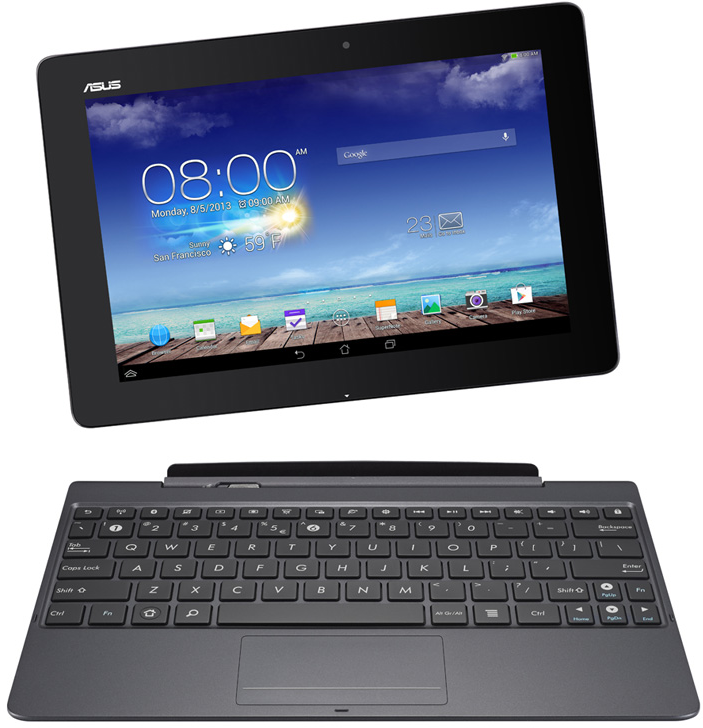
- Prefer a tablet with a keyboard or a desktop if fine touch tires you; the web flow must remain operable by keyboard.
- Increase the operating system zoom if targets seem small; test whether the layout reflows without hiding the submit button.
- If an accidental tap skips a clue or closes a dialog, pause and use undo or reopen calmly; do not turn the motor error into "cognitive haste".
- Rehearse the hypothesis in short text before aiming at submit, to separate reasoning from touch precision.
- If pain, fatigue or exclusion by the interface are intense, pause and seek the help you need.
Honest comparisons: NEXO concentrates clues and hypothesis submission in a single flow; simulators with many 3D manipulation gestures and question banks with dozens of micro-targets demand more motor precision. The choice for the day depends on the goal. To train differential diagnosis with few clues, the lean format fits. To train manual skill in a procedure, the simulation lab is another space. The shared principle: measure reasoning, not tolerance for tiny targets.
People who create cases for classes (preceptors, monitors, study groups) can apply the table above even outside the platform: large buttons on interactive slides, alternatives to dragging, flexible time in the formative activity and feedback with criteria. NEXO illustrates one path; the motor accessibility standard applies to any case that can be played on a tablet.
For preceptors who use the case of the day in a group: let each student record their hypothesis at their own pace and on their own adapted device, and only then discuss it out loud. Avoid a single station with a fine mouse shared as the only means of participation. The clinical content stays the same; the usage protocol becomes more inclusive.
Before publishing or playing a case with motor accessibility in mind, go through this list:
- Do the critical buttons have a large target and margin from the neighbor?
- Does every gesture action have a simple tap or keyboard equivalent?
- Does the web flow complete with Tab and Enter, with no focus trap?
- Is there a mode without a punitive timeout?
- Are controls discrete and focusable for switch?
- Are destructive actions separated and reversible?
- Does error feedback stay on screen long enough and in a large area?
- Have I tested with coarse touch and with keyboard only?
If any item fails, fix the design before attributing the error to the student. Then practice with a complete case in the real flow.
Frequently asked questions
Is motor accessibility the same as WCAG?
Not exactly. WCAG provides technical criteria (target, gesture, keyboard) that this post uses as principles. The focus here is apps and games for clinical teaching, not a complete normative guide for medical software.
Don't large targets make the interface look "childish"?
No. Generous targets are standard in health products and accessible games. You change the active area and the spacing, not the clinical rigor of the case.
Can drag-and-drop stay if there is an alternative?
Yes. Keep dragging as an optional shortcut if you want, as long as selecting and confirming with taps or keyboard does the same task.
Does switch access require a native app?
Not necessarily. It requires focusable controls and a logical order. A single canvas usually fails; real buttons and fields usually work with the system tools.
Does this only matter for people with permanent disabilities?
No. A splint, pain, fatigue, one-handed use during a shift and situational tremor produce similar barriers. Inclusive design benefits the majority.
How does NEXO fit in without becoming a promise of results?
As a practice environment with clues and a hypothesis on screen. Use it to practice the habit of reasoning in an operable format; not as proof of dexterity nor as treatment.
References
- W3C. Understanding SC 2.5.5 Target Size (Enhanced). https://www.w3.org/WAI/WCAG22/Understanding/target-size-enhanced
- W3C. Understanding SC 2.5.8 Target Size (Minimum). https://www.w3.org/WAI/WCAG22/Understanding/target-size-minimum
- W3C. Understanding SC 2.5.1 Pointer Gestures. https://www.w3.org/WAI/WCAG22/Understanding/pointer-gestures
- W3C. Understanding SC 2.1.1 Keyboard. https://www.w3.org/WAI/WCAG22/Understanding/keyboard
- W3C. Mobile Accessibility: How WCAG 2.0 and Other W3C/WAI Guidelines Apply to Mobile. https://www.w3.org/TR/mobile-accessibility-mapping/
- W3C Mobile Accessibility Task Force. M002 Providing adequate touch target size. https://w3c.github.io/Mobile-A11y-TF-Note/Techniques/M002
- Parhi P, Karlson AK, Bederson BB. Target size study for one-handed thumb use on small touchscreen devices. MobileHCI. 2006. DOI 10.1145/1152215.1152260.
- Guerreiro T, et al. Towards accessible touch interfaces. ASSETS. 2010. DOI 10.1145/1878803.1878809.
- Zazove P, et al. U.S. Medical Schools' Compliance With the Americans With Disabilities Act: Findings From a National Study. Acad Med. 2016. PMID 26796093.
- McKee M, et al. Medical Schools' Willingness to Accommodate Medical Students with Sensory and Physical Disabilities. AMA J Ethics. 2016. PMID 27780023.
- Meeks LM, et al. National Prevalence of Disability and Clinical Accommodations in Medical Education. J Med Educ Curric Dev. 2020. PMID 33178890.
- Meeks LM, et al. The Performance and Trajectory of Medical Students With Disabilities. Acad Med. 2022. PMID 34817411.
- Marzolf BA, et al. Call to Action: Eliminate Barriers Faced by Medical Students With Disabilities. Ann Fam Med. 2022. PMID 35879081.
- Kezar LB, et al. Leading Practices and Future Directions for Technical Standards in Medical Education. Acad Med. 2019. PMID 30398992.
- Stauffer C, et al. Technical Standards from Newly Established Medical Schools: A Review of Disability Inclusive Practices. J Med Educ Curric Dev. 2022. PMID 35036566.
- Moreland CJ, et al. Perceptions of the Learning Environment Among Medical Students With Disabilities and the Impact of Program Access. Acad Med. 2025. PMID 40344596.
- Game Accessibility Guidelines. Full list. https://gameaccessibilityguidelines.com/full-list/